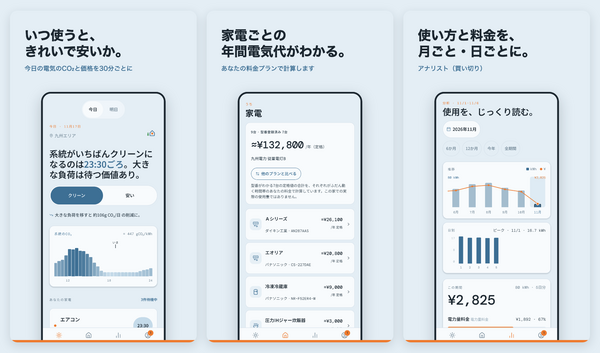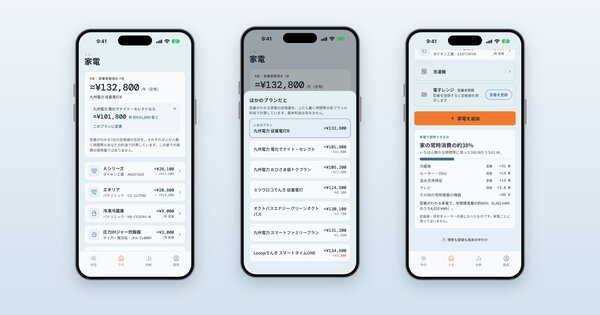
Until now, Uchi Energy only knew which kinds of appliances you have: a fridge, an air conditioner, a TV. That was enough for general advice, but not for the question people actually ask: is my fridge the problem?
So Appliances is now a collection of your real machines. Each one you identify gets its own card: the maker and model, its rated use per year, what that costs on your electricity plan, and how it compares with similar models on sale.
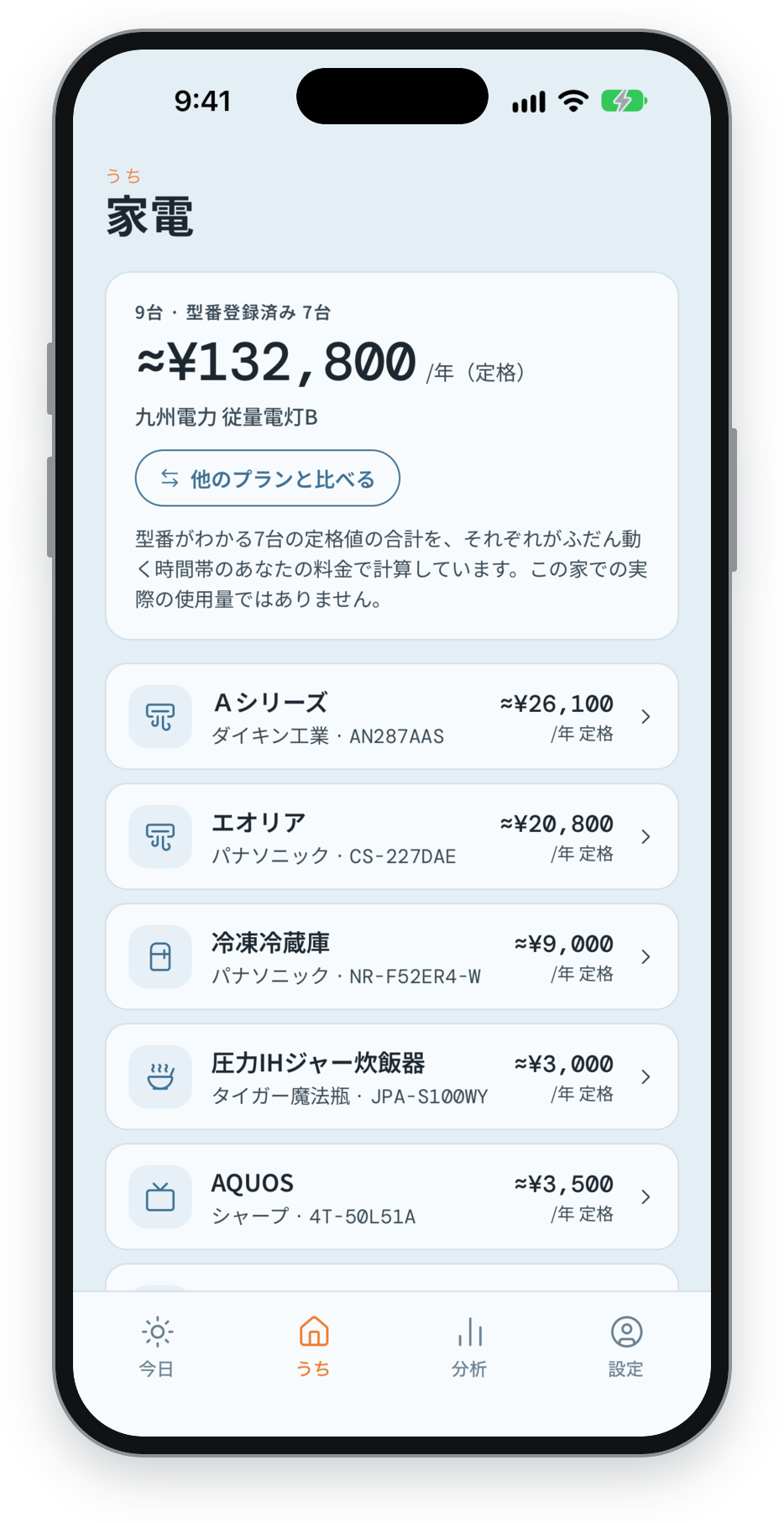 My home, in Japanese: each identified machine with its rated yearly cost on the household's plan.
Three ways to identify a machine
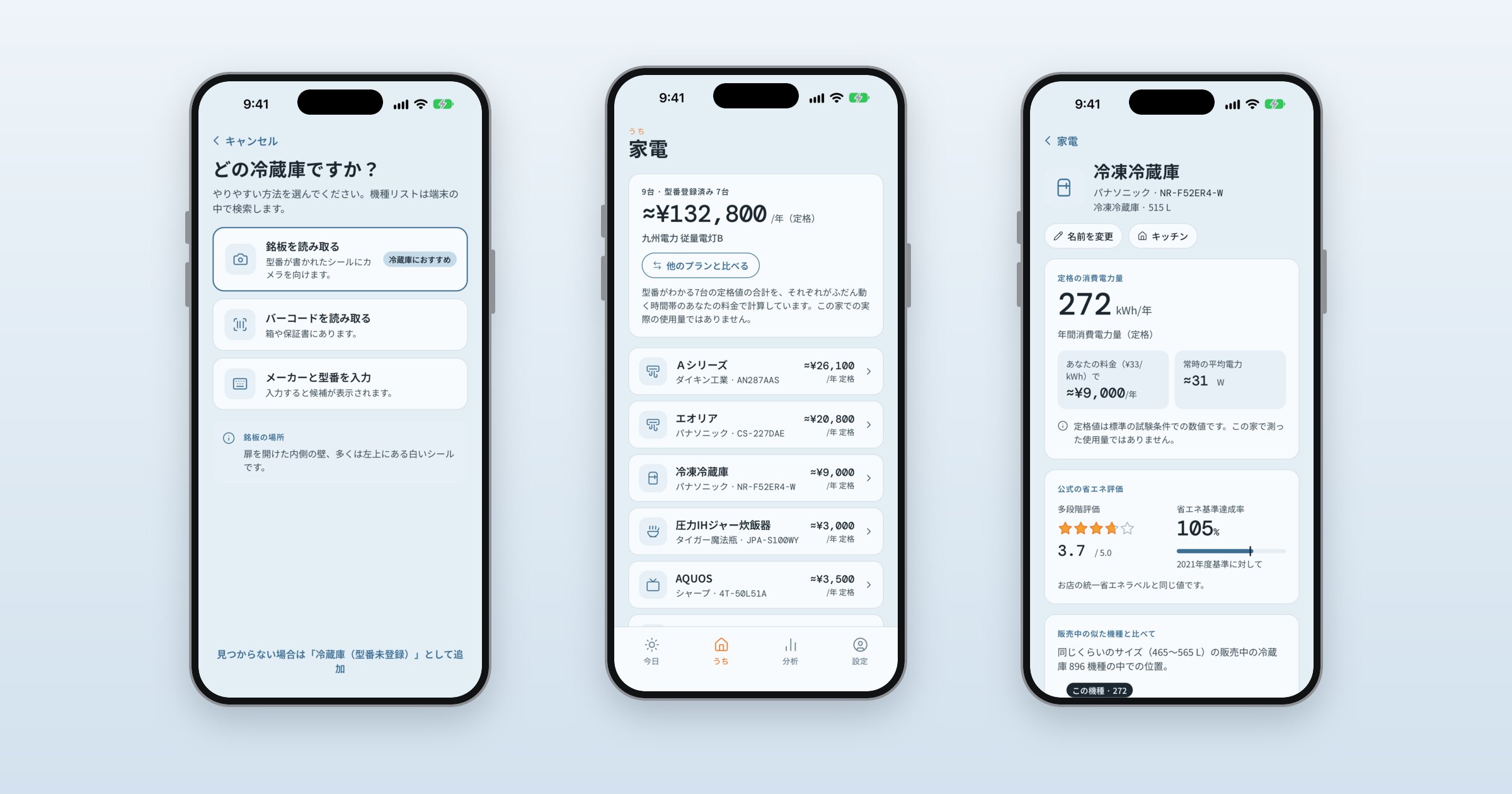
When you add an appliance, the app offers three ways to find the exact model:
- Read the rating plate (recommended). Every appliance has a sticker with its model number. Take a photo of it and the app reads the number and looks it up. On a fridge the plate is usually inside, on a side wall; on an air conditioner, on the side of the indoor unit or under the front panel; on a heated toilet seat, on the side or the back.
- Scan the barcode. Fast and exact, but the barcode is usually on the box or the warranty card, which are long gone for most machines already installed. It's perfect for something you just bought.
- Type the model number. The search narrows as you type, so the first few characters are often enough.
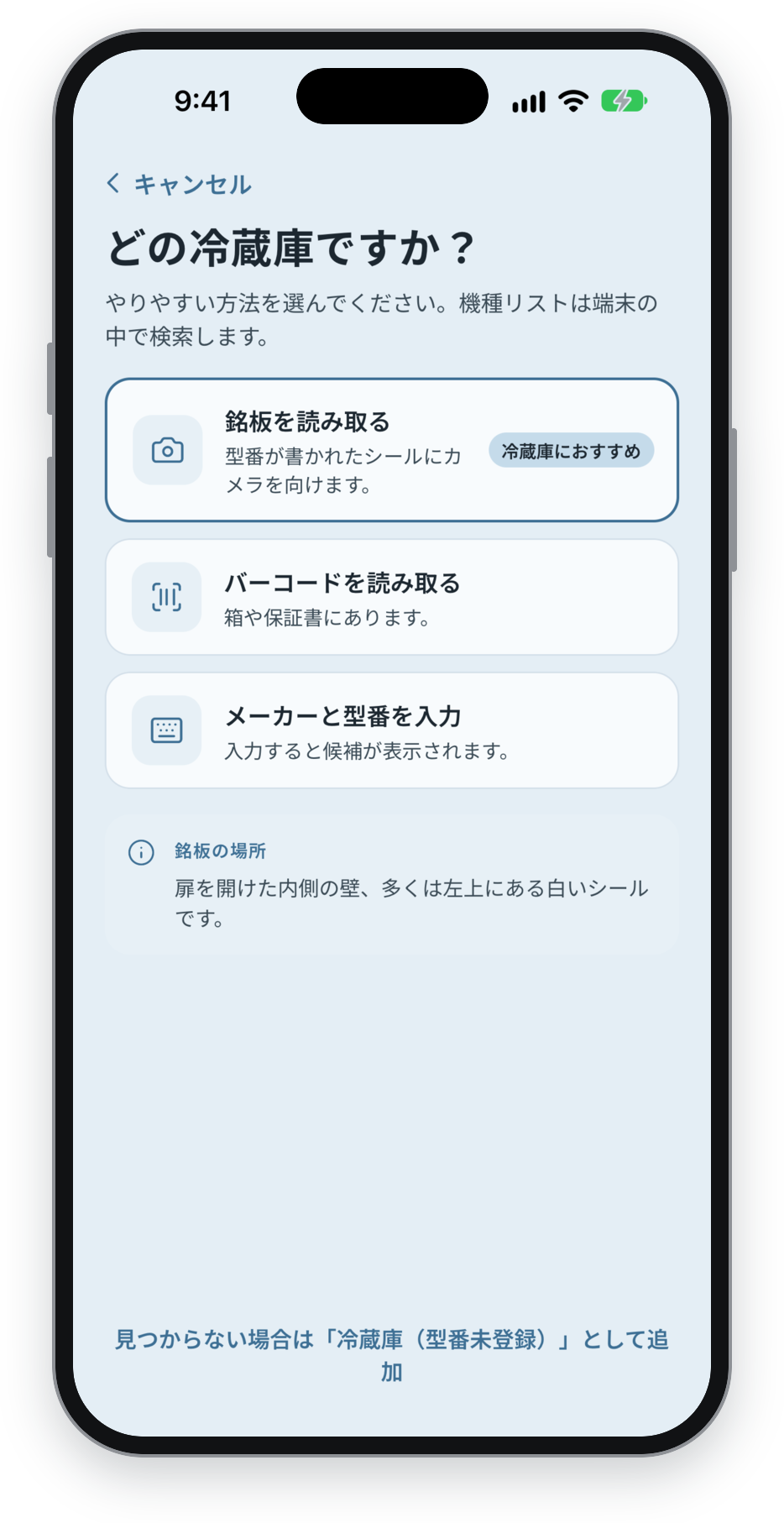 Identifying a fridge: read the rating plate (recommended), scan the barcode, or type the model number.
If you'd rather not identify a machine at all, you can still add it by type, and give a rough size to see the range of what similar models use.
Where the model data comes from
The figures come from the 省エネ型製品情報サイト, a site run for the Agency for Natural Resources and Energy that lists every model registered under Japan's efficiency labelling programme, each with its rated yearly use measured under the same test conditions. That makes models directly comparable, which is exactly what a card needs.
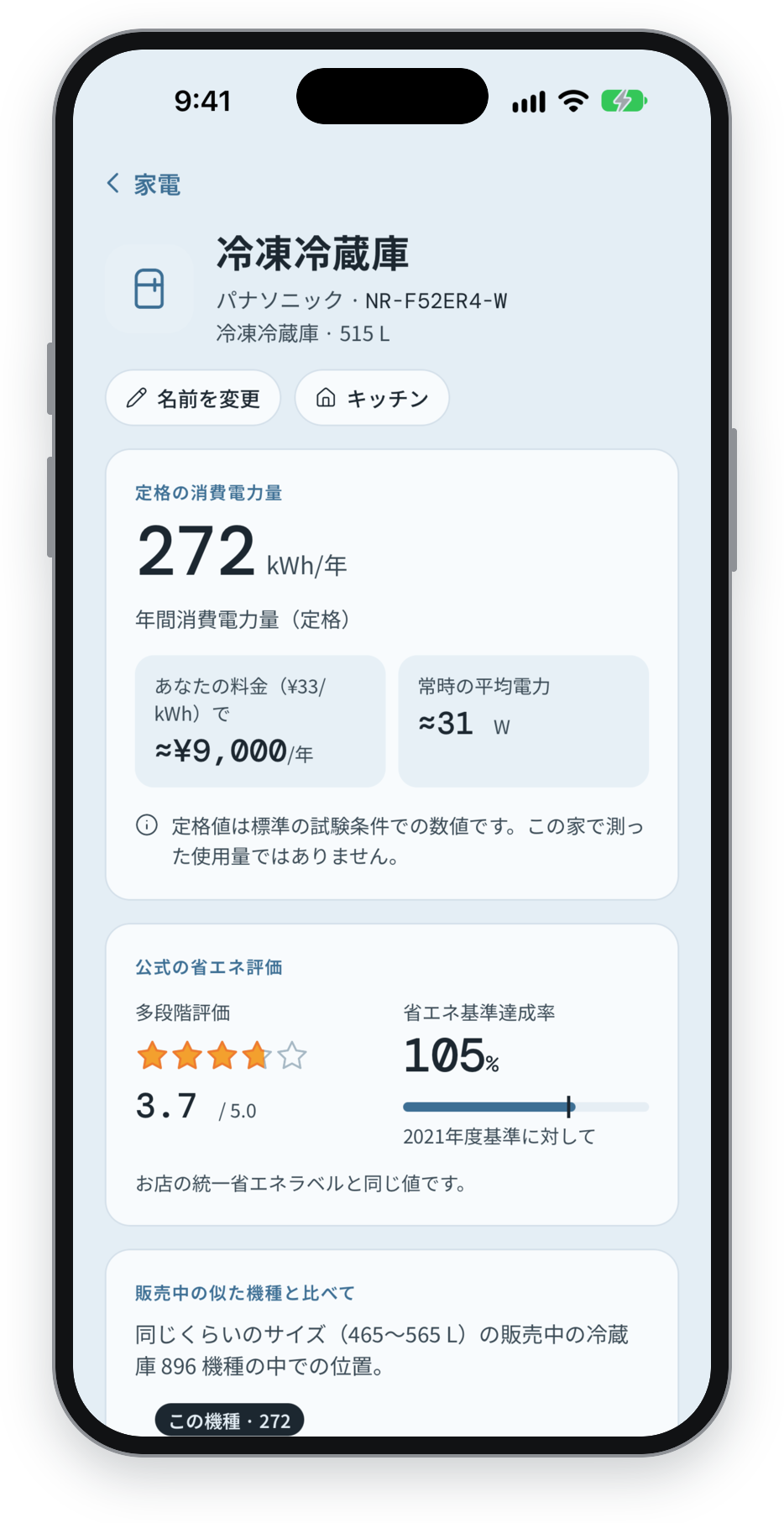 A model card: rated yearly use, cost on your plan, the official efficiency rating, and how it compares with similar models on sale.
We use eight categories: air conditioners, TVs, fridges, freezers, heated toilet seats, rice cookers, microwaves (including oven-microwaves) and EcoCute heat-pump water heaters. Together that's more than 21,000 models. The app downloads one category at a time, only when you need it, and searches it on your phone.
What isn't covered (yet)
Some appliances simply aren't part of the programme: washing machines, clothes dryers, dishwashers and toasters have no official per-model figures. You can still add them to your collection; they just won't have a model card. A plain electric oven isn't listed either, but if yours also heats with microwaves, you'll find it under Microwave.
Your photos stay on your phone
The camera is used for one thing only: reading a barcode or a model number. The photo is read on the device itself, with Apple's Vision on iPhone and Google's ML Kit on Android, and then discarded. Nothing is uploaded, and your collection is stored only on your phone, like the rest of your energy data.
Next: what your collection can tell you, from what each machine costs on another plan to how much of your home's constant draw it explains.
Source: 「省エネ型製品情報サイト」(経済産業省資源エネルギー庁)(https://seihinjyoho.go.jp/)を加工して作成. Licensed under PDL1.0.