English follows below.
ベータテスト開始のお知らせ
うちエネルギーは、まだストアで公開していません。公開の前に、少人数の方にご自宅で使っていただき、わかりにくい点、間違っている点、足りない点を教えていただきたいと考えています。本日より、iPhone と Android でベータテストを始めます。
テストしていただくもの
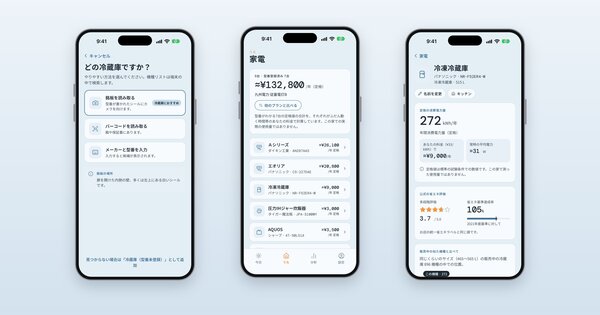
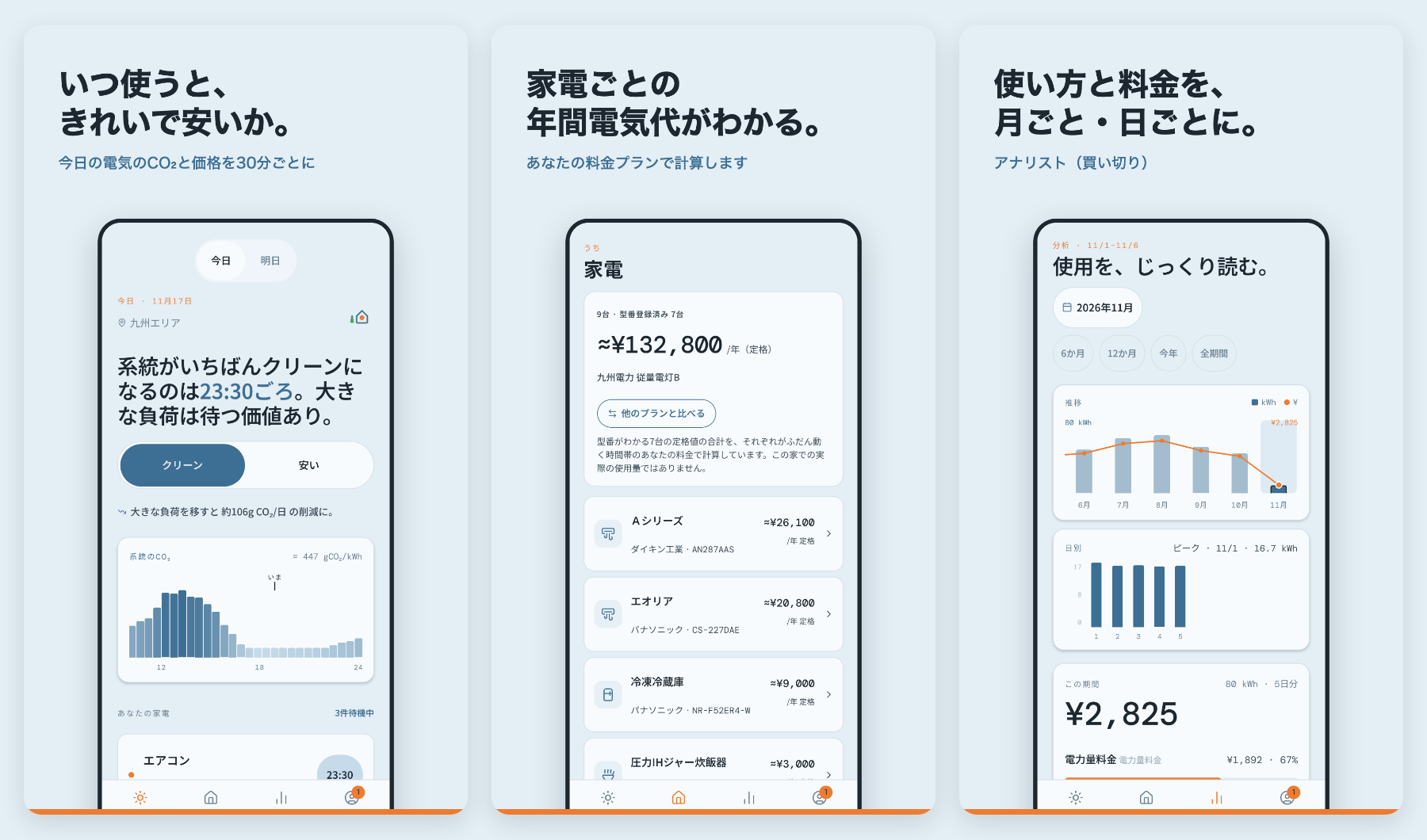
うちエネルギーは、お住まいの地域の電気がいつクリーンで安いかを30分ごとに表示し、家電ごとの年間電気代を計算するアプリです。家電は、型番にカメラを向けるだけで登録できます。使用量のデータは端末の中だけに保存されます。アカウント登録はなく、ご家庭に関する情報が私たちに送られることはありません。
特に見ていただきたい点:
- 初期設定。地域と料金プランの選択肢が、ご自身の契約に合っているか。
- カメラでの家電登録。お使いの型番が見つかるか。
- 年間電気代の数字。実際の請求と比べて妥当か。
- アナリスト(有料機能)。取り込んだ使用量を月ごと・日ごとに読めます。
- 日本語の表現で、不自然なところ。
参加方法
どちらのプラットフォームもクローズドリストでのテストのため、メールでお申し込みいただきます。ベータページにプラットフォームごとのボタンがあり、件名が入力済みのメールが開きます。本文は空のままで送信してください。詳しいご案内を返信し、リストに追加します。
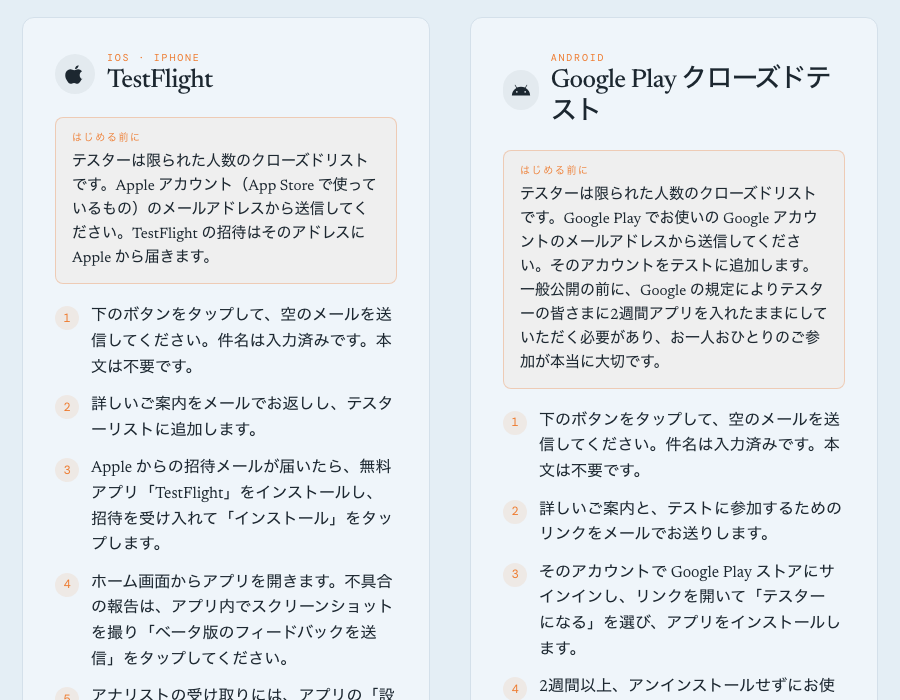 ベータページ。プラットフォームごとに申し込みボタンがあります。 / The beta page, with an apply button per platform.
iPhone の場合:Apple アカウントのメールアドレスから送信してください。Apple からの招待はそのアドレスに届きます。無料アプリ「TestFlight」をインストールし、招待を受け入れて「インストール」をタップします。
Android の場合:Google Play でお使いの Google アカウントから送信してください。そのアカウントをテストに追加し、リンクをお送りします。リンクを開いて「テスターになる」を選び、アプリをインストールします。現在 Google の審査中のため、リンクは承認され次第お送りします。
Android の方へ:2週間が大切です
Google は新しい開発者に対し、公開の前に12人以上のテスターが14日間アプリを入れたままにするクローズドテストを求めています。そのため Android のテスターお一人おひとりが大切で、2週間以上アンインストールせずにお使いいただけると助かります。毎日開く必要はありません。
テスター特典
実際にお使いいただき、フィードバックをお寄せいただいた方には、アナリストを無料で解除します。アナリストはアプリ内の買い切り機能で、公開後もそのままお使いいただけます。受け取りには、アプリの「設定 → バージョン」に表示される App user ID をメールでお送りください。
フィードバックの送り方
iPhone では、アプリ内でスクリーンショットを撮り「ベータ版のフィードバックを送信」をタップしてください。どちらのプラットフォームでも、ベータページに記載のアドレスへのメールで構いません。何をしたか、何を期待したか、何が起きたか。一文で十分です。
ご協力ありがとうございます。皆さまの報告が、より良いリリースにつながります。
The beta is open
Uchi Energy isn't in the stores yet. Before it is, we'd like a small group of people to use it at home and tell us what is confusing, wrong or missing. The beta is open from today on iPhone and Android.
What you'd be testing
Uchi Energy shows when electricity in your region is cleanest and cheapest, in 30-minute steps, and what each of your appliances costs you per year. You add an appliance by pointing the camera at its model number. Your usage data stays on your phone: there is no account, and nothing about your home is sent to us.
The things we most want eyes on:
- Setting up: choosing your region and plan, and whether the choices make sense for your contract.
- Adding appliances with the camera, and whether your models are found.
- The yearly cost figures. Do they look right next to your bills?
- Analyst, the paid part of the app, which reads your imported usage by month and by day.
- Anything in Japanese that reads oddly.
How to take part
The test is a closed list on both platforms, so you apply by email. The beta page has a button for each platform that opens an email with the subject already filled in. Send it empty. We reply with the details and add you to the list.
On iPhone, send the email from the address of your Apple Account. Apple sends the invitation there. Install the free TestFlight app, accept the invitation and tap Install.
On Android, send it from the Google account you use on Google Play. We add that account to the test and send you a link: open it, choose "Become a tester" and install the app. Google is still reviewing the test, so the link will follow as soon as it is approved.
If you're on Android, two weeks matter
Google asks new developers to run a closed test with at least 12 testers who keep the app installed for 14 days before it can be published. So each Android tester counts, and we'd ask you to keep the app installed for at least two weeks. You don't need to open it every day.
What you get
Testers who use the app and send feedback get Analyst unlocked for free. It is the app's one-time purchase, and it stays yours after launch. To receive it, email us the App user ID shown in the app under Settings, then Version.
How to send feedback
On iPhone, take a screenshot in the app and tap Share Beta Feedback. On either platform you can also write to the address on the beta page. A sentence is enough: what you did, what you expected and what happened.
Thank you for helping. Every report makes the launch better.